
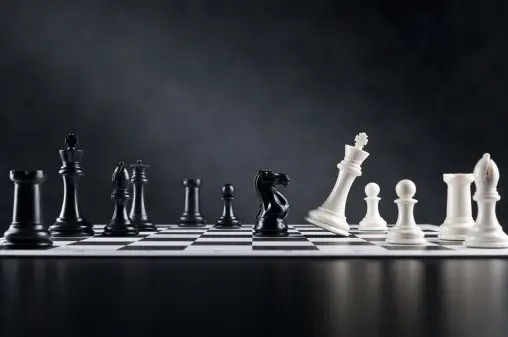
This is not an article about chess. A chessboard is a very simple memory palace. Very easy to learn provided you are good with memory palace. Great for tables. If one chessboard is not enough, you can always use more.
Memorizing tables is useful
It really is. Everybody works with datasheets. From large datasheets of raw data, we build small datasheets of the summary. And then we memorize the summaries and compare them between products, quarters, and so on.
In history, the tables may be different and may summarize events: dates, names, places, and the kind of event. In languages, we may want to keep a table of irregular words.
Tables can be useful. There is no need to force tabular structure, but if we have a table we can easily remember it.
Compression
The thing is: we do not really need to remember everything. We can use a computer or a mobile device instead. They are very friendly with respect to tables. Moreover, we can reliably remember up to 5 pieces of data per cell and need to work hard if we want higher density. So it is best if we can compress the information we need. If we cannot compress, we can place a large data structure like a mental palace on a single cell. This might be nice for 100 pieces of information in a cell, but overkill for 12 pieces of information.
We probably do not need entire 64 cells. During a chess game, the players start with 16 pieces each, so at least 50% of the cells are empty.
Alternative chess board sizes
A regular chessboard is 8×8 cells. It is the chessboard we have more experience with. If possible, it is best to compress the information to have no more than 8 rows and no more than 8 columns. It is possible to remember a matrix of 2×2 chessboards, but it is much harder. A 10×10 board is less standard. It is used in checkers, but not in chess.
An interesting alternative for irregular data is using a matrix of 4×4 mini-chessboards. If needed, each cell in the 4×4 board can also be a 4×4 board, with as much scaling as we want. It is a sort of nested pivot table for multidimensional data. A powerful but very niche solution.
Itinerary
Unlike other memory structures, chessboards do not have a natural itinerary. It is best if we can scan the entire board at once and see everything. This kind of works in chess, but can be harder with regular PAO – unless the board is very sparse. But what is the alternative?
We can scan them row by row or column by column or in a spiral pattern or otherwise. Row by row like we read or write is the default pattern. It is good because we are so used to it. But if the data requires, we can use alternative itineraries to memorize and revisit data.
Why chessboards are not very useful.
A few paragraphs ago I told you that we use a lot of tables, and it is useful to remember them. However, we do not really have many examples for chessboard memory structures – except in chess. Why?
For remembering a lot of data, mental palaces are better as they have a simple and fixed itinerary and many contextual clues. For manipulation of hierarchical data, mindmaps are better as they have very clear encoding for data structures. Chessboards are good almost only for memorizing tables. And this is a niche.
We can also use chessboards to memorize some graphs, like bar charts quantized 8×8. Again, a niche.
Additionally, the resulting memorizations tend to be boring. Because they are very technical and support multiple itineraries, the visualizations need to be almost standalone per cell.
Color
Chessboards use two colors of cells and two colors of figures. If we use 4 chessboards, each can have a different pair of colors. I do not think that using a rainbow of colors on a single board helps. It sounds very confusing.
High contrast improves memorability and speed of visualization, and yet seriously limited color options create structures of black and white.
Additionally, we may want to use one color for the names of rows and columns, and another color for data. Then we end up with one color for all actual data
Peg structure
An interesting way to add memorability to the chessboard is using chess figures. Our visualizations start with one chess figure and then follow what we need to remember. For example, we can use memory palaces shaped as octagonal pawns and bishops. We place the data in the corners and on the walls of the palace. For kings, queens, and knights. we can use PAO with a predetermined person. This means much fewer data pieces to memorize and highly memorable visualization. For rooks, we can use much larger mental palaces, possibly with several rooms and a spiral staircase. Unlike chess, we can use as many pieces of any kind as we want.
Sparsity
Real tables are not really sparse. To make tables sparse we typically need to cheat, for example inserting empty rows and columns. We can use chess or checkers patterns. And then we may use patterns of placing geometrically some groups of pegs. This geometric superstructure can be made unique and thus memorable. Moreover, it may guide the itinerary structure along non-empty cells.
A recipe
Step 1: select an 8×8 chessboard.
Step 2: set color theme. Usually black and white cells, with black figures for category names and white figures for values.
Step 3: encode the data. Longer data structures become rook mental palaces, anchor markers king/queen/knight PAOs, and the rest can be placed into octagonal pawns and bishops’ single-room palaces.
Step 4: introduce empty rows and columns to leverage the structure of the data.
Step 5: add 4×4 mini chessboards if required: either laterally adjacent to the 8×8 main board or within some of its cells
Step 6: visualize a snapshot of the entire board as a pattern
Step 7: follow the natural itinerary until it is indeed natural.
Step 8: revisit the itinerary for long-term memorization
This tool is more complex than mindmap or mental palace, but it is much better for tables. If you follow the recipe above, you can easily visualize any table.

Get 4 Free Sample Chapters of the Key To Study Book
Get access to advanced training, and a selection of free apps to train your reading speed and visual memory